

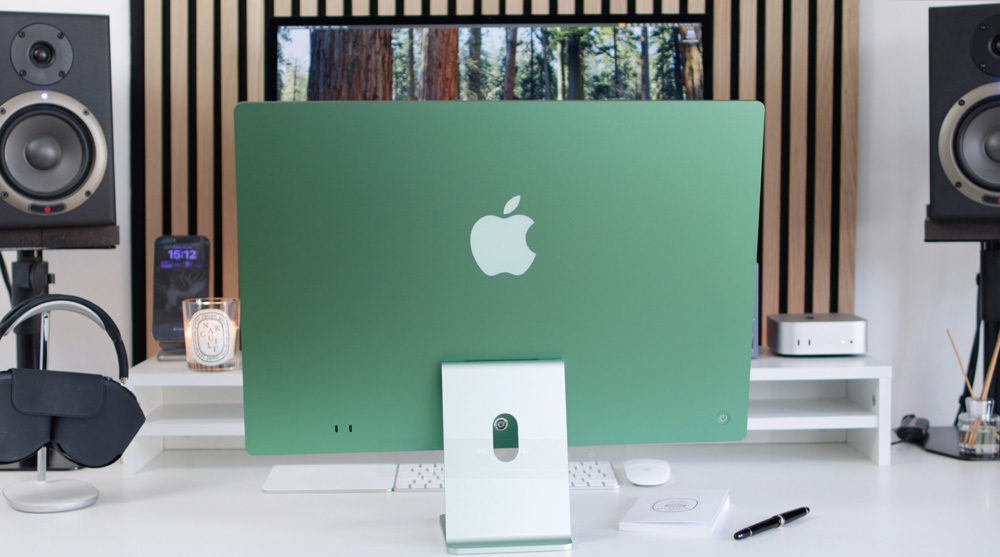
The new iMac M4 is built for speed. It handles multiple apps at once without slowing down. Students can open a web browser, take notes, edit documents and stream music all at once. The M4 chip makes it possible. Tasks that used to take minutes now take seconds. For most students, that time adds up.
Lightweight Design with Strong Display
The iMac M4 is not just fast. It also looks good. The 24-inch display is sharp and bright. Colours are accurate, which helps with creative work like photo editing, design projects, and media assignments. The screen is easy on the eyes, even after long hours of reading or typing. Its slim body doesn’t take up much desk space. That’s a plus in shared hostels or small rooms.
Quiet but Powerful
Many desktops make noise when you push them too hard. This one doesn’t. The cooling is silent. You can attend a video call, render graphics, and export files without background fan noise. This matters when working in quiet spaces like libraries or night study sessions.
All-in-One Simplicity
One does not have to be concerned with connecting additional parts. The iMac is all-in-one. There is a strong screen, speakers, a mic, a camera, and even a chip. Plug it in, and you are off. Learners do not have to purchase individual parts. It reduces clutter and setup time.
Ideal for Creative Work
If your course includes music production, graphic design, video editing, or animation, the M4 chip makes a big difference. Rendering times are shorter. Edits apply instantly. You don’t lose momentum waiting for the system to respond. Apple’s apps like Final Cut Pro and Logic Pro work smoothly. Third-party software is also well-optimised now. It gives creative students room to explore without limits.
Seamless Apple Ecosystem
If you already have an iPhone or iPad, the iMac fits right in. You can copy something on your phone and paste it on your iMac. AirDrop lets you transfer files instantly. FaceTime, Notes, Reminders, and Calendar sync automatically. This tight integration helps students stay organised without doing extra work. You can even answer texts and calls from your desktop.
More Secure and Future-Proof
The iMac M4 is also secure. The chip has built-in tools to protect your data. This includes secure boot, encrypted storage, and faster updates. Plus, with Apple’s long software support, the device will stay updated for years. You won’t need to replace it soon. That means you save more over time.
Better Pricing for Students
There’s a major cost advantage, too. With Apple’s education pricing, students can buy the iMac M4 (student price) (iMac M4 ราคานักศึกษา, this is the term in the Thai) at a lower rate. The deal often includes offers on accessories or AppleCare. But you’ll only see these offer if you go through the education store. It’s not available at regular outlets. Always check before buying.
Final Word
The iMac M4 is a solid investment for students. It’s fast, silent, space-saving, and built to last. Whether you’re studying arts, coding, science, or business, it can handle your workload with ease. And if you grab the iMac M4 (Student Price), it becomes even more worthwhile. Check what you need, compare your options, and make an informed decision.