
How Engineering Student Jason Miller Turned a Pile of CAD Exports Into One Clean PDF for His Capstone Review

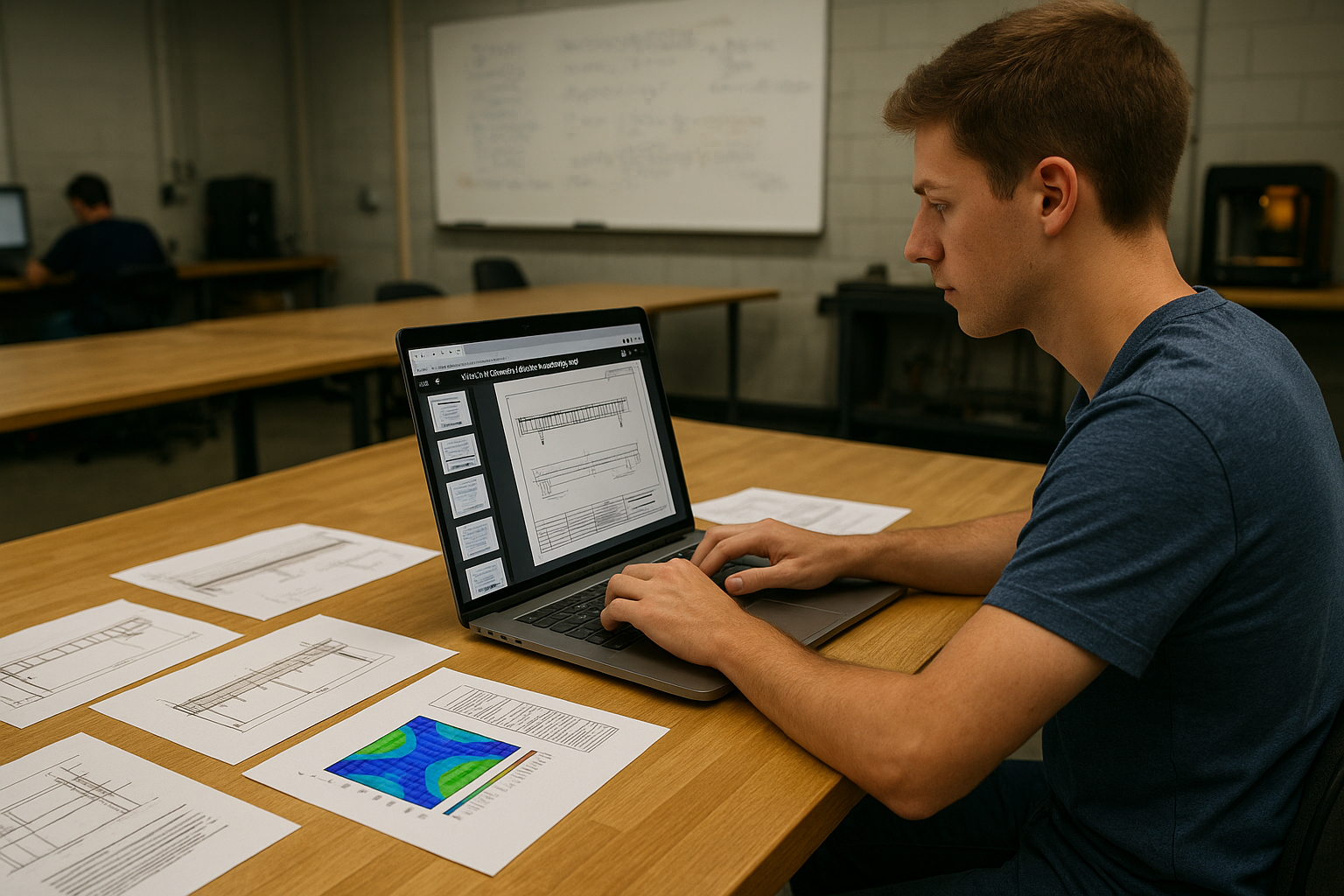
In his final semester at a large public engineering school in the Midwest, Jason Miller had one goal: get through his senior capstone presentation without a technical disaster. His project, a small-footprint pedestrian bridge designed for a local park, lived in half a dozen CAD files, simulation screenshots, and detail drawings. On his computer, everything made sense. For the review committee, though, the department required something much simpler: “Submit one organized PDF of all drawings and diagrams.”
From Organized Project Folder to Reviewer Chaos
On Jason’s laptop, the project lived inside a clean directory structure: one folder for CAD files, another for FEA simulations, another for detail views, and a final one for notes. But when he exported everything for the faculty panel, the folder suddenly became less elegant and more chaotic.
He now had:
- Individual PDFs for each view of the bridge
- Separate PDFs for stress and deflection simulations
- Zoomed-in details for bolt connections and handrail design
- Dimensions and cross-sections in their own files
The department’s submission portal, however, did not want a folder. It wanted one file that any professor could open on any device, scroll through in order, and print if needed. No tabs, no digging, no guesswork.
Jason knew what would happen if he uploaded a ZIP of 25 separate PDFs: half the committee would miss critical images, and the rest might get frustrated flipping between files. In a room where ten minutes could decide whether his project passed with distinction or with a polite nod, clarity mattered.
The Night Before the Review
The evening before his capstone presentation, Jason sat in the campus engineering lab, the kind with concrete floors, squeaky rolling chairs, and whiteboards still covered in formulas from earlier study sessions. A few friends were finishing their own projects. Someone was running a 3D printer in the corner. The hum of fans and fluorescent lights filled the background.
Jason opened his “Final_Drawings” folder and stared at the list: bridge_overview.pdf, side_elevation.pdf, stress_map_midspan.pdf, connection_detail_A.pdf, and many more. Twenty-five files didn’t look like much in a directory, but they would look like a mess in front of a committee.
He tried, for a moment, to imagine printing everything and taping it into order on the lab table. Then he imagined carrying that stack across campus in the wind. The vision disappeared quickly.
Finding a Simpler Way to Talk to Non-Engineers
Jason’s advisor had reminded the class that their audience would not be just structural engineers. The review panel included a professor from the business school, a local city engineer, and a representative from the parks department. They needed to see the story of the bridge, not the file system behind it.
That meant one smooth, scrollable document where the narrative was obvious: start with the big picture, move into structural details, show the simulations, and end with safety margins and cost estimates.
Jason realized the solution wasn’t just technical; it was communicative. If the drawings were scattered across files, the story would feel scattered too.
Turning a Folder Full of PDFs Into One Bridge Story
On his laptop, Jason opened a browser and visited https://pdfmigo.com. He dragged every exported drawing into the upload area and watched as they appeared as thumbnails on the screen.
This was the first moment the project actually looked like a storyline instead of a directory tree. He rearranged the thumbnails so the panel would first see the overall bridge render, then the side and top views, followed by cross sections, connection details, and finally the colorful stress maps from his simulations.
The interface didn’t ask him to be a software expert. It simply let him drag, drop, and reorder pages until the sequence matched the way he planned to speak. Once he was satisfied, he clicked the button that read Merge PDF.
A few seconds later, he downloaded a single file: Miller_Capstone_Bridge_Drawings.pdf. One document. One scroll. One narrative.
The Difference One File Made in the Capstone Room
The next morning, Jason walked into the review room with his laptop and a quiet sense of relief. When the projector lit up, he opened just one PDF. The first slide showed the complete bridge, lit by simulated afternoon sun. As he talked through his design decisions, he tapped the down arrow and moved naturally through each view, close-up, and stress map.
The city engineer leaned forward during the connection details. The parks representative focused on the aesthetic views. The business professor paid attention when the cost breakdown sheet appeared, nested right after the structural safety pages. No one asked him to “go back to that other file” or “open the simulation PDF again.”
Afterward, one professor told him, “Your slides were clean. It was easy to follow your thinking.” Jason knew the models, math, and steel specifications mattered, but so did the way the story was packaged. A single, coherent PDF had quietly supported him the entire time.
Why This Matters for Engineering Students Everywhere
Jason’s experience isn’t unique. Around the country, engineering students live inside specialized software: CAD programs, FEA tools, simulation environments. But when it’s time to present their work, they’re judged by something much simpler: how clearly they can show their ideas to people who don’t live inside those tools.
A tidy, merged PDF is sometimes the only bridge between complex calculations and human understanding. It lets committees, clients, and non-technical stakeholders see a project from beginning to end without needing to open a folder full of files or install extra software.
For Jason, the night before his capstone review didn’t end in panic in front of a printer or a desperate attempt to rebuild everything in a slideshow. Instead, a few minutes of thoughtful organization and one merged file turned a jumble of exports into a clean, confident presentation of his work.